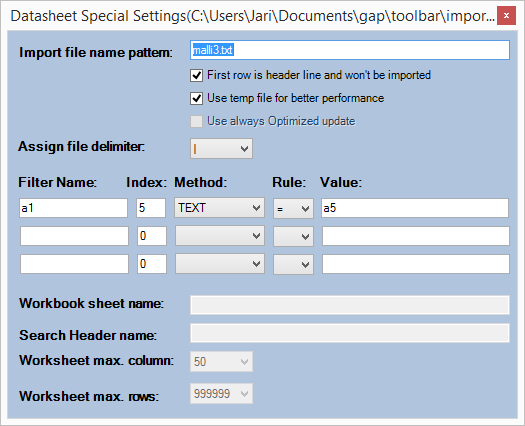
Filtering imported data may be useful if there is for example many rows in the worksheet and only some specific rows are needed. The rows can be filtered using the Datasheet special setting – dialogue shown already earlier:
1. Select the worksheet containing the imported data
2. Click on the dialogue launcher to start the Datasheet special setting – dialogue, Figure 63.
3. Define the filter. See the example below.
4. Close dialogue
5. Press refresh
Worksheet with imported data.
Example filter.
After the dialogue is closed and Refresh command button has been pressed the worksheet shows the filtered data.