Pivot functionality is based on Excel pivot functionality. Using the excel toolbar the blank field created to Pivot tables by excel can be avoided.
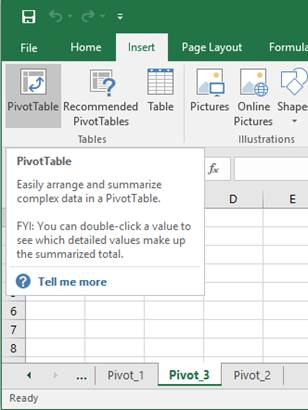
Worksheet name needs to start with Pivot_ e.g. Pivot_3. Then use PivotTable command in Insert Tab
Creating PivotTable.
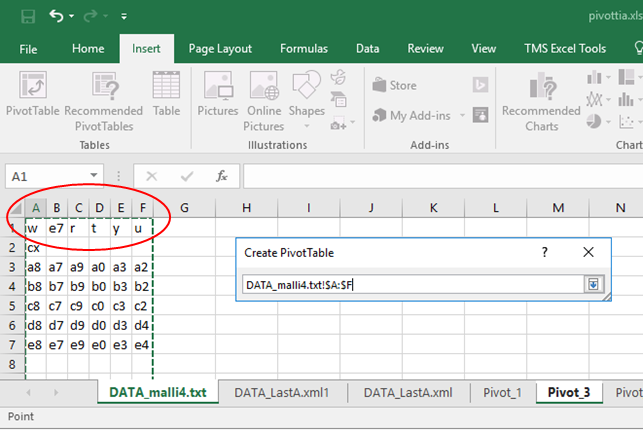
Select the area from imported data, DATA_malli4.txt in this example. Note: select the whole columns and check that there are headers written for the columns.
Selecting Pivot data.
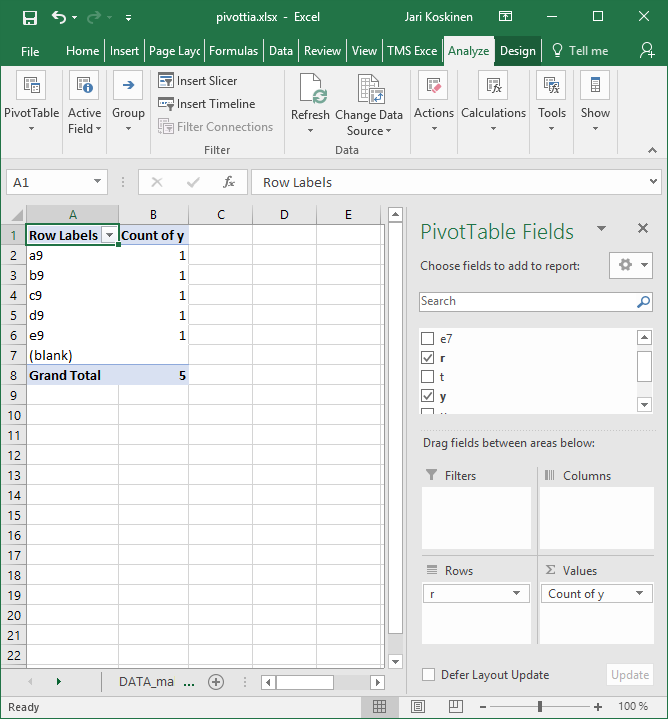
Press <ENTER> couple of times to create the Pivot table to the Pivot_3 worksheet. Then select values for Rows and Values etc. There is the blank row visible in the Row Labels.
PivotTable Fields.
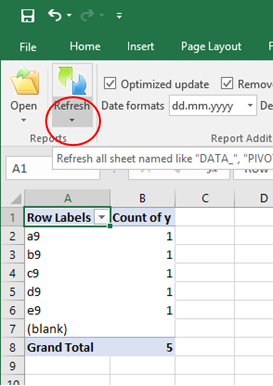
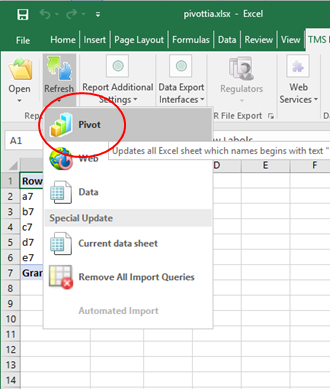
Once the values are Refreshed the blank added by excel is de-selected automatically by Toolbar. First click the lower part of the Refresh command button as shown in . Then click on the Pivot shown in Virhe. Viitteen lähdettä ei löytynyt. .
Refresh button
Refresh Pivot
Note that Blank is reserved word in Pivot row labels.