Close excel and try to unregister and register the toolbar:
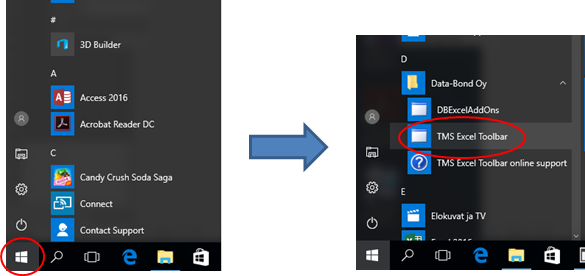
On Windows 10 system press the windows key on keyboard or in the lower left corner of the screen, locate the “Data-Bond Oy“ item on the Windows Start menu and click that. It opens the TMS Excel Toolbar icon.
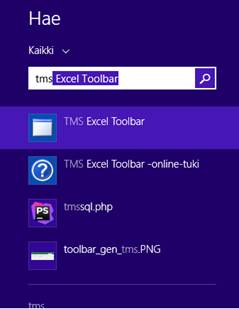
On Windows 8.1. system press the windows key, type “tms” and you should see the TMS Excel Toolbar icon
Figure 72. Windows 8.1. Find menu.
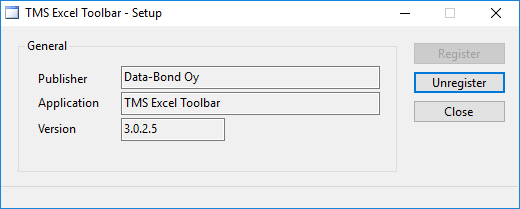
Clicking the TMS Excel Toolbar icon opens the following setup dialogue, Figure 73. First click on “Unregister“ and then “Register” to activate the Excel Toolbar again.